Remarketing: How to Reach People Who Already Know You
By Mohd Altamash ·
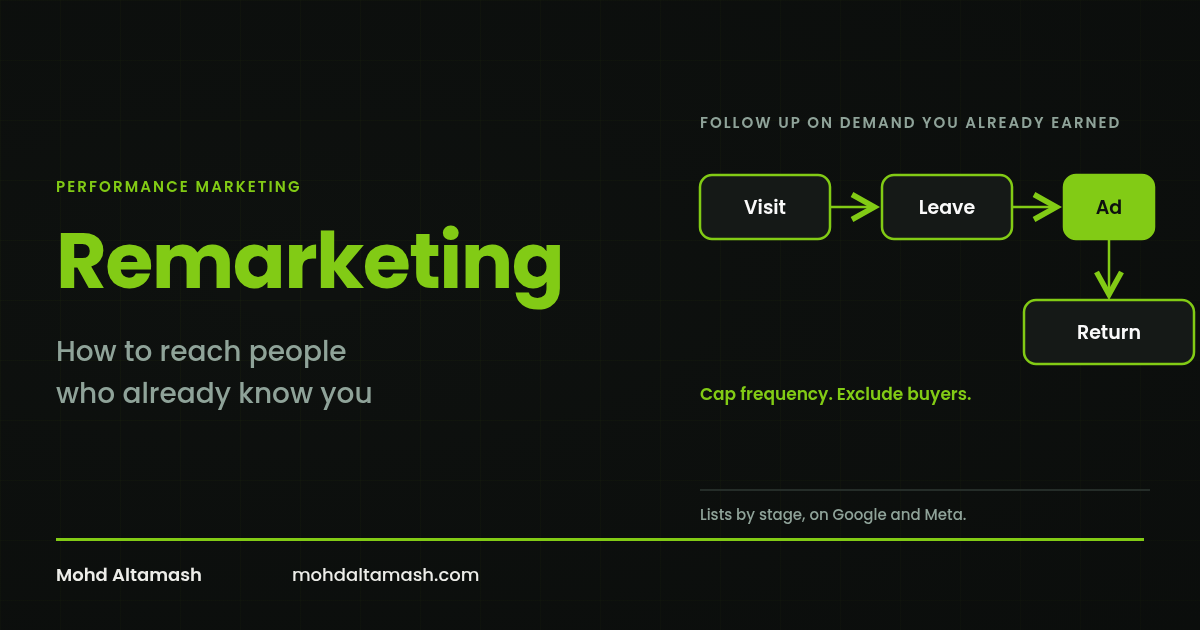
Remarketing means showing ads to people who have already visited your site, used your app or engaged with your brand. Some people call it retargeting. The words mean the same thing in daily use. It works best as a second step, after you have first brought people in. It is not a way to create demand. It is a way to follow up on demand you already earned.
In 16+ years of running paid media, remarketing is the area where I see the most waste and the most quick wins. Both come from the same cause. People set it up once and never look at it again.
What is remarketing?
Someone visits your pricing page and leaves. A day later they see your ad on YouTube or Instagram. That is remarketing.
Your ad platform needs a way to know who visited. It uses a small tracking tag on your site, or data you upload, to build a list of people. You then run ads only to that list.
The people on that list already know you. So the message can be different. You do not have to explain who you are. You can answer the doubt that stopped them.
Remarketing vs retargeting: is there a difference?
In everyday use, no. Some people use "retargeting" for ads to site visitors and "remarketing" for email to past customers. Google still uses "remarketing" in Help articles, and now usually calls the lists themselves data segments or audience segments. In this article I use remarketing for all of it.
When does remarketing help?
It helps when you already have traffic and the decision takes time.
- Considered purchases. Higher price, longer thinking, more comparison.
- Lead businesses. Someone read your page but did not fill the form.
- Repeat purchase. Past buyers who may need a refill or an upgrade.
- Abandoned steps. Cart, checkout or enquiry left unfinished.
It does not help when you have very little traffic. The list will be too small to run on. Fix traffic and the offer first. If you are new to how channels fit together, read what performance marketing is.
How does Google Ads remarketing work?
Here is the outline. Product and menu names change, so check the current labels in your account.
- Install the tag. Your site needs Google's tag, so Google can see who visited. Test it before you build anything.
- Build your lists. In Google Ads these are now called data segments or audience segments. Start simple: all visitors, visitors to key pages, people who started a form, past customers.
- Exclude people who converted. Showing "buy now" to someone who just bought is a waste and annoys them.
- Choose where to show ads. Display, YouTube, Demand Gen and Search can all use your lists. Check current Help for any limits on a given campaign type.
- Use lists on Search too. Google lets you add your lists to Search campaigns. This is documented as using your data segments for Search ads, and is still often called RLSA (remarketing lists for search ads). You can bid differently for people who have seen you before, or show a different ad.
- Set a membership window. This is how long someone stays on the list. Match it to your buying cycle. A quick buy needs a short window. A long decision needs a longer one. For many Google Ads data segments the membership limit is 540 days. Google also requires a minimum number of active users before ads can serve, and that threshold can differ by network, so check the current Help article rather than assuming one number.
If you use automated bidding, the quality of your lists and conversion data matters more. My Google Ads automation guide explains this for Smart Bidding and Performance Max. For how the auction and daily budgets work, see Google Ads cost.
How does Meta remarketing work?
On Meta, the building blocks are custom audiences. You can build them from several sources, including:
- Website visitors, through the Meta pixel
- App activity
- Your customer list, uploaded from your CRM
- People who engaged with your Instagram, Facebook, video or lead forms
Then you create ad sets aimed at these audiences. Start with three groups:
| Group | Who | Message |
|---|---|---|
| Warm | Recent visitors, video viewers | Show what makes you different. Answer the main doubt. |
| Hot | Product page, form starters, cart | Remove friction. Show proof, price clarity, an easy next step. |
| Customers | Past buyers | Thank, upsell or invite back. Never repeat the first-purchase ad. |
Your tracking needs to be accurate, or your audiences will be thin and wrong. Browser limits and consent choices reduce what the pixel sees. My Meta Conversions API setup guide covers how to send events from your server too.
Meta also has automated campaign types that find existing customers and new ones together. See my Advantage+ campaigns guide for how those fit. I still keep a simple remarketing structure alongside them, so I can control messages by stage. Check how your current Advantage+ setup treats existing customers, because those controls change.
How do you avoid over-messaging?
This is where remarketing goes wrong. The same ad follows people for weeks. They get irritated and some block the brand.
Four habits help:
- Cap frequency. Watch how many times one person sees your ad. Platforms report this. If it keeps climbing and results fall, stop.
- Use stages. Move people from warm to hot messages. Do not show the same ad to everyone.
- Refresh creative. Change the message before it gets stale. Test new angles using my creative testing guide for Meta.
- Set exit rules. Remove buyers. Remove people who have not engaged after your window ends.
A good test: would you be fine being shown this ad five times? If not, change it.
How do you read remarketing results?
Be careful. Remarketing audiences already lean towards buying. Some of those people would have returned anyway. Platform reports usually give remarketing a lot of credit.
So do not judge on the platform number alone. Compare against your own sales or lead records. Tag remarketing landing pages consistently so you can see them in analytics; my UTM parameters guide shows a simple naming rule. If you can, run a short holdout, where a share of your list does not see ads, and compare. Google and Meta both offer lift or holdout-style tests; use the tool your account has, or keep a simple manual holdout if it does not. Break results down by audience and placement. My Meta ads breakdown reports guide shows how.
What about privacy and consent?
Remarketing uses data about people's behaviour. Rules apply.
- Tell visitors you use tracking, in a clear privacy policy.
- Ask for consent where the law needs it. India's Digital Personal Data Protection Act, 2023 is in force as law, and the Digital Personal Data Protection Rules, 2025 were notified in November 2025. Implementation is phased: Consent Manager registration began on 13 November 2026, and broader Data Fiduciary compliance obligations are scheduled for 13 May 2027. Check the current MeitY timeline, and ask your lawyer what already applies to you.
- If you serve visitors in other regions, their rules apply too.
- Both Google and Meta have their own policies on sensitive categories. Some businesses, such as health or finance, face limits on what they can target. See Google's advertising policies (including special ad categories) and Meta's advertising standards and special ad categories.
- Do not upload customer lists without a lawful basis to use that data.
I am not a lawyer. Ask yours before you launch.
Key takeaways
- Remarketing shows ads to people who already visited or engaged. Retargeting means the same in daily use.
- It follows up on demand. It does not create it.
- Build lists by stage. Exclude people who already converted.
- Cap frequency and refresh creative.
- Judge results against your own records, not only platform numbers.
- Handle consent properly.
FAQ
What is remarketing?
Remarketing is showing ads to people who have already interacted with your business, such as site visitors or past customers.
What is the difference between remarketing and retargeting?
In everyday use, nothing. Google uses "remarketing". Many marketers say "retargeting". Some use the second word for ads and the first for email.
How does Google Ads remarketing work?
You add Google's tag to your site. Google builds lists of visitors. You then show ads to those lists across Google's networks, including Search, Display, YouTube and Demand Gen, subject to current list-size and campaign-type rules.
How long should someone stay on a remarketing list?
Match it to how long your buyers take to decide. There is no single right number. Check your own sales cycle.
Sources
- Google Ads Help, How your data segments work. https://support.google.com/google-ads/answer/2472738
- Google Ads Help, About your data segments for Search ads. https://support.google.com/google-ads/answer/2701222
- Meta Business Help Centre, About custom audiences. https://www.facebook.com/business/help/744354708981227
- Ministry of Electronics and Information Technology, Digital Personal Data Protection Rules, 2025. https://www.meity.gov.in/documents/act-and-policies/digital-personal-data-protection-rules-2025-gDOxUjMtQWa
- Press Information Bureau, Consent Manager registration under the DPDP Act, 14 November 2026. https://www.pib.gov.in/PressReleasePage.aspx?PRID=2336151
About the author
Mohd Altamash is a performance marketing and AI strategist with 16+ years in digital marketing. He has managed ₹750 Crore+ in ad spend across 100+ brands.