Click to WhatsApp Ads: How to Run Them Without Wasting Leads
By Mohd Altamash ·
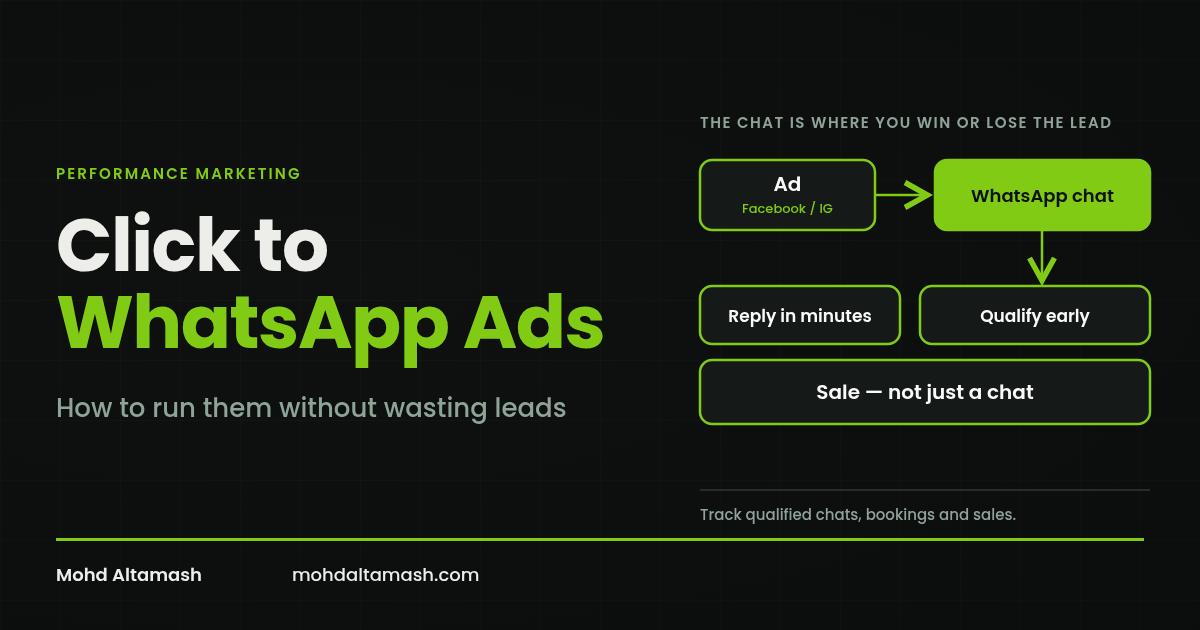
Click to WhatsApp ads are Meta ads, usually shown on Facebook and Instagram, that open a WhatsApp chat with your business when someone taps them, instead of sending them to a website. They suit businesses that close sales through conversation. They only pay off if you reply fast and track what happens inside the chat. The ad is the easy part. The chat is where you win or lose the lead.
I have run paid media for 16+ years across 100+ brands. In India, WhatsApp is where many buyers already want to talk. But I see the same mistake often. The ad gets a chat. Nobody replies for hours. The money is gone. This guide covers how to avoid that.
What are click to WhatsApp ads?
A normal lead ad sends people to a page or a form. A click to WhatsApp ad sends them to a chat with your business number. The person starts the conversation. That matters. They have chosen to talk to you.
In Ads Manager you set a message template for that first moment. The common option is Start conversation. You can write a greeting and suggest questions or short messages people can tap. Some accounts can also collect details with a form in WhatsApp (WhatsApp Flows), though Meta notes this may not be available yet.
You need a WhatsApp Business account. Since March 2024, new click to WhatsApp campaigns cannot use a personal WhatsApp number. Connect the business number to your Facebook Page or business portfolio.
When do click to WhatsApp ads work well?
They work when buyers have questions before they buy.
- Services with quotes. Interior design, coaching, repairs, insurance, education.
- High-consideration products. Furniture, jewellery, vehicles.
- Local businesses. Clinics, salons, gyms, restaurants.
- Businesses with a sales team. People who can reply within minutes.
They work poorly when:
- Nobody can reply fast.
- The product is a low-price item people buy in one tap.
- You have no process to qualify or follow up.
If channel basics are new to you, start with what performance marketing is.
How do you set up a click to WhatsApp ad?
Here is the outline. Menu names in Ads Manager change, so check each step in your account.
- Connect your accounts. Set up the WhatsApp Business app, or the WhatsApp Business Platform (API). Link your number to your Facebook Page or business portfolio, and make sure the person managing ads has access.
- Choose the objective. You can use Awareness, Traffic, Engagement, Leads or Sales. Then set the destination to WhatsApp. Current help calls that control Message destinations, WhatsApp, or Messaging apps, depending on the objective.
- Set your audience. Start simple: location, age range and a clear interest or lookalike. Do not stack ten filters.
- Write the creative. One clear promise. One clear action: "Message us to get a quote."
- Write the message template. Keep the greeting short and specific. Add starter questions that help you qualify.
- Test before you spend. Click your own ad, send a message, and see what the team sees.
These ads usually run on Facebook and Instagram. You may also be able to place them in WhatsApp Status. Check the placements in your account.
For more on creative testing, my guide for Meta ads works for these ads too.
Which WhatsApp tool should you use?
You have two official routes: the WhatsApp Business app and the WhatsApp Business Platform.
| WhatsApp Business app | WhatsApp Business Platform (API) | |
|---|---|---|
| Best for | Small teams, low chat volume | Higher volume, several agents, CRM link |
| Setup | Easy, from your phone. Free to download | Needs a provider or developer |
| Automation | Basic: greeting, away message, quick replies | Full: flows, routing, CRM sync, approved templates |
| Message charges | The app does not use Cloud API per-message pricing | Per delivered business message, by category and market |
| Reporting | Limited | Better, depends on your tool |
Start with the app if you get a few chats a day. Move to the Platform when volume grows, several people need to reply, or you want a CRM link and template follow-ups. My WhatsApp automation guide covers that move. Platform message charges are separate from what you pay for the ads.
How fast should you reply?
Fast. Aim for minutes, not hours. A person who just tapped your ad is warm. An hour later they are comparing other chats.
Set these rules:
- Know who replies. One named person per shift.
- Use an instant greeting. An automatic first reply that confirms you got the message and says when a person will answer.
- Cover working hours. If you cannot reply at night, say so in the greeting.
- Have a fallback. If the first person is busy, someone else picks up.
On the WhatsApp Business Platform, a 24-hour customer service window opens, and resets, each time the person messages or calls you. While it is open, you can send ordinary replies. After it closes, you can only follow up with approved template messages.
If someone messages you from a click to WhatsApp ad on the Android or iOS app, and you reply within that window, a free entry point window can stay open for up to seven days. Marketing, utility, authentication and service messages are not charged in that window. Meta Business Agent messages still are. This does not open from desktop or web. Check the current pricing page, because the rules change.
What should the first messages say?
Keep the chat simple. Do not send a wall of text.
- Greet and confirm. "Hi, thanks for messaging. I'm [name]."
- Ask one qualifying question. For example: what they need, their city, their timeline.
- Give a clear next step. A quote, a call, a visit.
Qualify early. Not every chat is a real lead. A short question or two tells you who is serious.
Do not send long brochures at the start. Do not send the same message to everyone. Do not push a sale in the first line.
How do you track results from click to WhatsApp ads?
Tracking is the hard part. A chat is not a website visit. Website tags and UTM tags do not follow the person into WhatsApp, because they never land on your page.
Track in three layers:
- In the ad platform. Meta reports Messaging conversations started. That counts a conversation started after at least seven days of inactivity, attributed to your ads. For WhatsApp, it only includes conversations started from clicks on your ad. That is your top-of-funnel number, not a sale.
- In your chat or CRM. Mark each chat: qualified, quoted, won, lost. A simple sheet works to begin with.
- Back to Meta. Where your tools allow, send quality events from the chat back to Meta with the Conversions API for Business Messaging, such as a qualified lead or a purchase. Those events should reflect what happened in the thread. If the sale happened on your website, use the website Conversions API instead. My Conversions API setup guide covers the principles.
Tag the source of each chat. A different greeting per campaign, or a question in the welcome message, helps your team see which ad sent the person.
What should you measure?
Do not stop at cost per conversation. A cheap chat that never buys is expensive.
| Metric | What it tells you |
|---|---|
| Messaging conversations started | Is the ad getting people to message? |
| Reply time | Are you losing leads in the gap? |
| Qualified chats | Are the right people messaging? |
| Quotes or bookings | Is the chat moving forward? |
| Sales and revenue | Is the whole thing paying back? |
| Cost per qualified chat and per sale | The numbers that decide your budget |
Work out your break-even cost per customer first, then set a target below it.
What are the common mistakes?
- Slow replies. The most expensive mistake.
- No qualification. Your team wastes time on chats that were never going to buy.
- One ad for everyone. Different offers need different ads and different greetings.
- Counting chats as leads. Not every chat is a lead.
- Sending people to a chat with no plan. Know what happens after "Hi".
- No follow-up. Many buyers reply once, then go quiet. A polite follow-up within the allowed rules helps.
- Messy numbers. No way to see which campaign made a sale.
- Ignoring spam and abuse. Have a way to block and report.
What about consent and privacy?
The person starts the chat, which is a good sign. But rules still apply.
- Do not add people to broadcast lists without permission.
- Tell people how you will use their details.
- Respect opt-outs quickly. WhatsApp policy also says you may only contact people who have given you their number and opted in to further messages.
- India's Digital Personal Data Protection Act, 2023 is in force as law, and the Digital Personal Data Protection Rules, 2025 were notified in November 2025. Implementation is phased: Consent Manager registration began on 13 November 2026, and broader Data Fiduciary compliance obligations are scheduled for 13 May 2027. Check the current MeitY timeline, and ask your lawyer what already applies to you.
- If you sell through WhatsApp catalogues or other commerce features, follow the Meta Commerce Policy as well. Read the current policy pages before you scale.
I am not a lawyer. Ask yours before you build a large broadcast or follow-up system.
If you want help setting up the ads, the chat flow and the tracking together, book a consultation.
Key takeaways
- Click to WhatsApp ads open a chat instead of a website.
- They suit businesses that sell through conversation.
- Reply in minutes, qualify early and follow up politely, within the current messaging-window rules.
- Track chats in your CRM and send quality events back to Meta where you can.
- Judge on qualified chats, bookings and sales, not only cost per conversation.
FAQ
What are click to WhatsApp ads?
They are Meta ads, usually shown on Facebook and Instagram, that open a WhatsApp chat with your business when someone taps them, instead of sending them to a website.
How much do click to WhatsApp ads cost?
There is no fixed price. Ad cost depends on your audience, competition and creative. Platform message charges are separate, billed per delivered business message, by category and market. Chats started from a click to WhatsApp ad on Android or iOS can open a free entry point window of up to seven days if you reply within 24 hours, and each number currently gets 1,000 free service messages a month. The WhatsApp Business app does not use this per-message pricing. Check current official rates before you budget.
Do I need the WhatsApp Business API?
Not at the start. The WhatsApp Business app can work for low volume. Move to the WhatsApp Business Platform when volume, team size or automation needs grow.
How do I track sales from click to WhatsApp ads?
Record each chat in a CRM or sheet, mark its outcome and tag the source campaign. Where possible, send those outcomes back to Meta as business messaging events, such as a qualified lead or a purchase.
Sources
- Meta Business Help Centre, How to create ads that click to WhatsApp in Ads Manager. https://www.facebook.com/business/help/447934475640650
- Meta Business Help Centre, About ads that click to message on Meta technologies. https://www.facebook.com/business/help/1816962591668838
- Meta Business Help Centre, Messaging conversations started. https://www.facebook.com/business/help/2038363993156008
- Meta Business Help Centre, Differences between the WhatsApp Business Platform and app. https://www.facebook.com/business/help/338665938087159
- Meta Business Help Centre, WhatsApp Business required for click to WhatsApp campaigns. https://www.facebook.com/business/help/372008982225441
- Meta Business Help Centre, Connect your Facebook Page to WhatsApp. https://www.facebook.com/business/help/1583303048513172
- Meta for Developers, Pricing on the WhatsApp Business Platform. https://developers.facebook.com/documentation/business-messaging/whatsapp/pricing
- Meta for Developers, Service messages (customer service windows). https://developers.facebook.com/documentation/business-messaging/whatsapp/messages/send-messages
- Meta for Developers, Conversions API for Business Messaging. https://developers.facebook.com/docs/marketing-api/conversions-api/business-messaging
- WhatsApp, Business Messaging Policy. https://www.whatsapp.com/legal/business-policy
- Meta, Commerce Policy. https://www.facebook.com/policies_center/commerce/
- Ministry of Electronics and Information Technology, Digital Personal Data Protection Rules, 2025. https://www.meity.gov.in/documents/act-and-policies/digital-personal-data-protection-rules-2025-gDOxUjMtQWa
- Press Information Bureau, Consent Manager registration under the DPDP Act, 14 November 2026. https://www.pib.gov.in/PressReleasePage.aspx?PRID=2336151
About the author
Mohd Altamash is a performance marketing and AI strategist with 16+ years in digital marketing. He has managed ₹750 Crore+ in ad spend across 100+ brands. Book a consultation.