UTM Parameters: How to Set Up Tracking You Can Trust
By Mohd Altamash ·
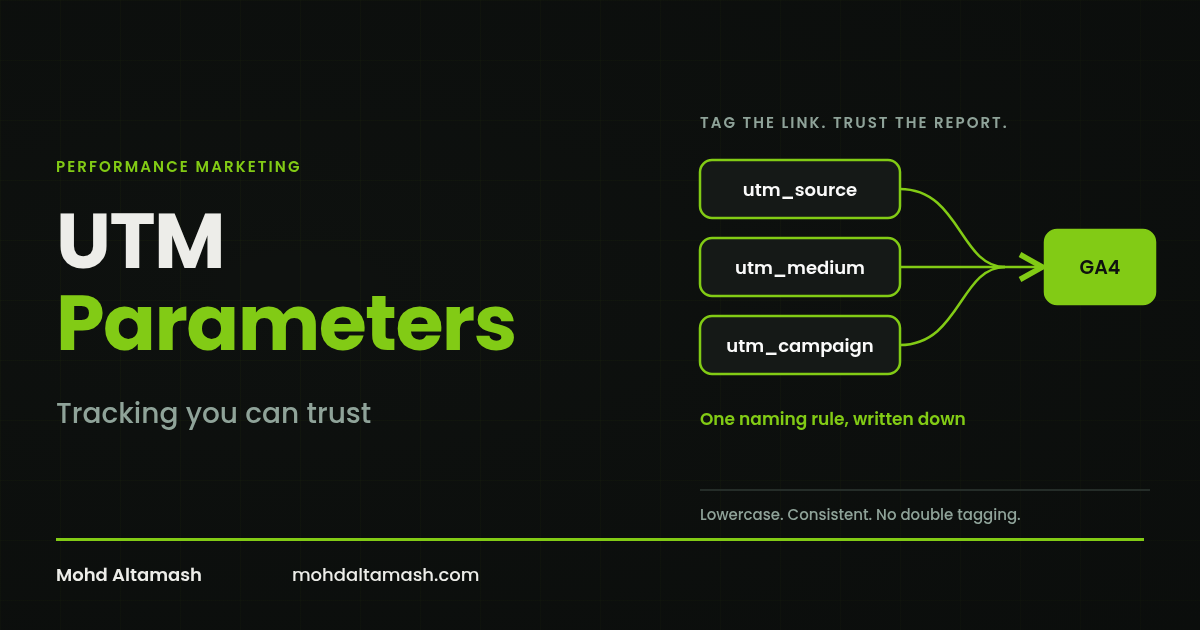
UTM tracking means adding short tags to the end of a link, so your analytics tool knows exactly where each visit came from. The five standard UTM parameters are source, medium, campaign, term and content. Use them the same way every time, and your reports become trustworthy. Use them loosely, and your data becomes noise.
Most tracking problems I see are not technical. They are naming problems. One person writes "Facebook". Another writes "fb". A third writes "meta". Your report now shows three sources for one thing. I have seen this across 100+ brands. This guide gives you a simple system to avoid it.
What are UTM parameters?
UTM parameters are small pieces of text added to a URL. They do not change the page. They only tell your analytics tool where the click came from. UTM stands for Urchin Tracking Module, a name from an older analytics product later acquired by Google.
A tagged link looks like this:
Everything after the question mark is the tracking. Each tag is joined with an ampersand.
What are the five UTM parameters?
| Parameter | What it answers | Example |
|---|---|---|
| utm_source | Where did the visit come from? | google, meta, newsletter |
| utm_medium | What type of channel was it? | cpc, paid_social, email |
| utm_campaign | Which campaign was it? | diwali_sale_2026 |
| utm_term | Which keyword? (paid search) | leather_wallet |
| utm_content | Which ad or link version? | video_a, banner_blue |
Source, medium and campaign are the core three. Use them on every link. Term and content are optional. Use them when you need to compare keywords or creatives. Google Analytics 4 also supports other campaign parameters, including utm_id, utm_source_platform, utm_creative_format and utm_marketing_tactic.
What naming convention should you use?
Pick rules once. Write them down. Follow them always.
- Lowercase only. Analytics tools can treat "Meta" and "meta" as different values. GA4 treats UTM values as case-sensitive.
- No spaces. Use an underscore between words.
- Short and clear. A stranger should understand it in five seconds.
- One value for one thing. Choose "meta" or "facebook", never both.
- Fixed order in campaign names. For example:
goal_offer_month.
Here is a starter table. Adjust it for your business, then lock it.
| Channel | utm_source | utm_medium |
|---|---|---|
| Google Search ads | cpc | |
| Meta ads | meta | paid_social |
| Email newsletter | newsletter | |
| WhatsApp message | messaging | |
| Organic social post | social |
GA4 sorts traffic into channel groups using rules on source and medium. Using common medium values such as "cpc" and "email" helps your traffic land in the right default channel group. GA4 does not have a dedicated default group for WhatsApp. A medium such as "messaging" may show as Unassigned, unless you add a custom channel group. Keep the value consistent either way.
How do you add UTMs to ads, email and WhatsApp?
Google Ads. Auto-tagging is Google's own system for tracking clicks. It is on by default for new Google Ads accounts. When it is on, GA4 uses the auto-tagged click data rather than manual UTMs on those same Google Ads clicks. There is no simple override that lets the manual tags win in GA4. Check that auto-tagging is on, and add UTMs mainly for traffic Google does not tag for you. If you use Smart Bidding or Performance Max, clean source data matters even more.
Meta ads. Add your UTMs in the URL parameters field at ad level. Meta can fill values automatically with dynamic parameters such as {{campaign.name}}, {{adset.name}} and {{ad.name}}. Check the current list in Ads Manager, because the menu labels change. This saves typing and cuts mistakes. Remember that UTMs measure site visits. For conversion signals sent back to Meta, see my Meta Conversions API setup guide. They do different jobs.
Email. Most email tools can add UTMs for you. If yours cannot, build links by hand with a shared sheet. Tag every link that points to your site, including buttons and logos.
WhatsApp. Tag any link to your website that you share in a broadcast or a message. A link that only opens a WhatsApp chat, and never hits your website, has no site visit for GA4 to record, so UTMs do not help there. If you automate messages, build the tags into your templates. My WhatsApp automation guide covers the setup.
How do you read UTM data?
In GA4, go to Reports > Acquisition > Traffic acquisition, and view it by Session source / medium. Then add campaign as a second view.
Check three things:
- Do the sources match your naming list?
- Is there a large "(not set)" or "Unassigned" row?
- Do leads and sales line up with your own CRM?
If a row looks wrong, the cause is almost always a tag. Fix the tag at the source.
UTM data tells you which visits led to actions on your site. It does not prove the click caused the sale. Use it alongside your revenue numbers. My ROAS formula guide shows how to combine them without fooling yourself.
What are the most common UTM mistakes?
- Double tagging. Manual UTMs and auto-tagging fight each other. Decide one rule per channel.
- Messy source and medium. "Facebook", "fb" and "meta" in the same report.
- Missing tags. One untagged email link sends all that traffic to "direct".
- Capital letters and spaces. They create duplicate rows.
- UTMs on internal links. Never tag links between pages of your own site. This can overwrite the real source of the visit.
- Changing names mid-campaign. You split one campaign into two.
- Putting private data in tags. Never put names, emails or phone numbers in a UTM. URLs travel and get logged.
How does a small team keep names consistent?
You do not need software. You need a habit.
- One shared sheet. List every allowed source, medium and campaign name. Anyone adding a new value must add it here first.
- One link builder. Use a sheet with formulas, or a builder tool. No hand typing.
- One owner. One person approves new names.
- A short check before launch. Click each live link. Confirm it shows up in GA4's Realtime report.
- A monthly review. Scan the reports for odd values. Fix and document them.
If you are new to how paid channels fit together, start with what performance marketing is.
Key takeaways
- UTM tracking uses five tags: source, medium, campaign, term and content.
- Source, medium and campaign are the core three. Use them on every link.
- Lowercase, no spaces, one name per thing.
- Do not double tag, and never tag internal links.
- A shared sheet and one owner keep a small team consistent.
FAQ
What are UTM parameters?
UTM parameters are tags added to a URL. They tell your analytics tool the source, medium and campaign of each click.
Are UTM parameters case sensitive?
Yes. GA4 treats UTM values as case-sensitive. Use lowercase everywhere to avoid duplicate rows.
Do I need UTMs if I use Google Ads auto-tagging?
Auto-tagging covers Google Ads clicks. You still need UTMs for email, social posts, WhatsApp links to your site, and other channels Google does not auto-tag. If you are setting up automated email sequences, my email marketing automation guide covers the emails themselves.
Do UTMs replace the Meta pixel or Conversions API?
No. UTMs show where site visits came from. The pixel and Conversions API send conversion data to Meta. You usually want both.
Sources
- Google Analytics Help, About custom campaign parameters (GA4). https://support.google.com/analytics/answer/10917952
- Google Analytics Help, Default channel groups. https://support.google.com/analytics/answer/9756891
- Google Ads Help, About auto-tagging. https://support.google.com/google-ads/answer/3095550
- Meta Business Help Centre, About URL parameters. https://www.facebook.com/business/help/1016122818401732
About the author
Mohd Altamash is a performance marketing and AI strategist with 16+ years in digital marketing. He has managed ₹750 Crore+ in ad spend across 100+ brands. Book a consultation.